One visible home
Make priorities, tasks, context, and specialist tools available from one interface without hiding the underlying systems.
Flagship Portfolio Case Study
A local-first operating system for planning work, retrieving knowledge, preparing content, building files, reviewing email, and coordinating specialist AI tools from one calm interface.
Pixel began as a voice-assistant experiment. It became a modular command center designed around a harder problem: how do you make local AI useful across a real workday without handing one giant agent every tool, every file, and every decision?
Working local system Time reclaimed: estimated Financial ROI not independently measured
Evidence Snapshot
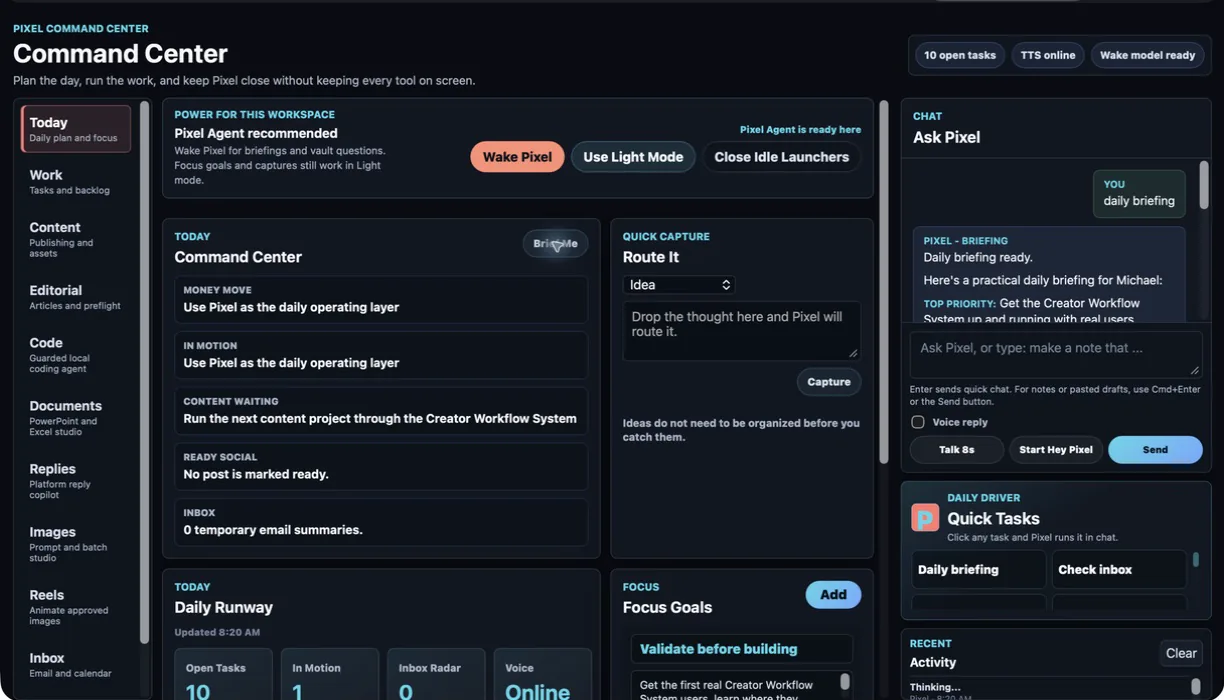
The Business Problem
Notes lived in Obsidian. Tasks lived on a board. Email needed review without becoming permanent memory. Content moved through several platforms. Local models, n8n, image generation, and document tools all had different resource needs. Each tool worked, but the workday still depended on remembering where everything was and what needed to run.
Make priorities, tasks, context, and specialist tools available from one interface without hiding the underlying systems.
Keep Obsidian Markdown as the source of truth so useful context remains readable, portable, and recoverable.
Let Pixel prepare, route, and recommend while keeping publishing, sending, deletion, and production changes behind approval.
Coordinate local models, Docker services, voice, and ComfyUI without pretending a 48 GB laptop can run every heavy process at once.
How to Read This Case Study
Start with the working product walkthrough, then use the architecture and outcome sections to see what the system does, what was checked, and where human approval remains required.
Working Product Walkthrough
Pixel is organized into focused workspaces rather than a wall of commands. Each workspace exposes the tools, power mode, and review step needed for that job.
Plan and Publish
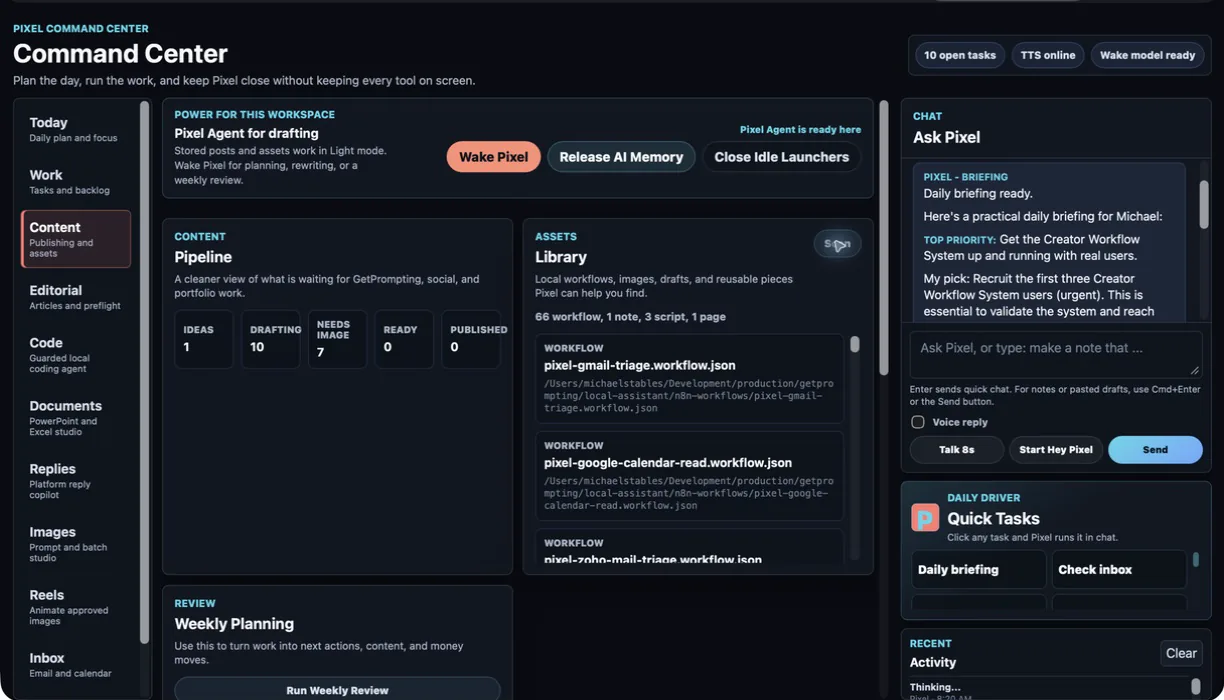
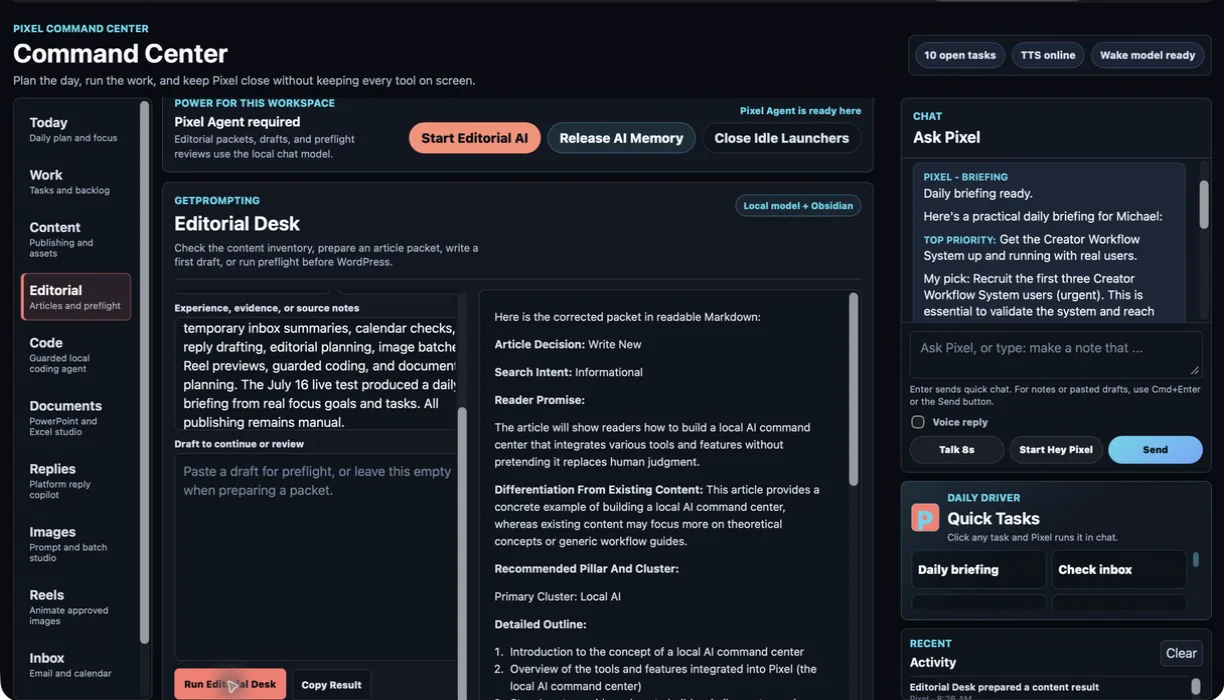
The Content workspace tracks ideas, drafts, ready assets, and published work. Editorial Desk reads the brand guides, content inventory, and vault context to prepare article packets, first drafts, and preflight reviews without inventing experience or publishing on its own.
Build With Guardrails
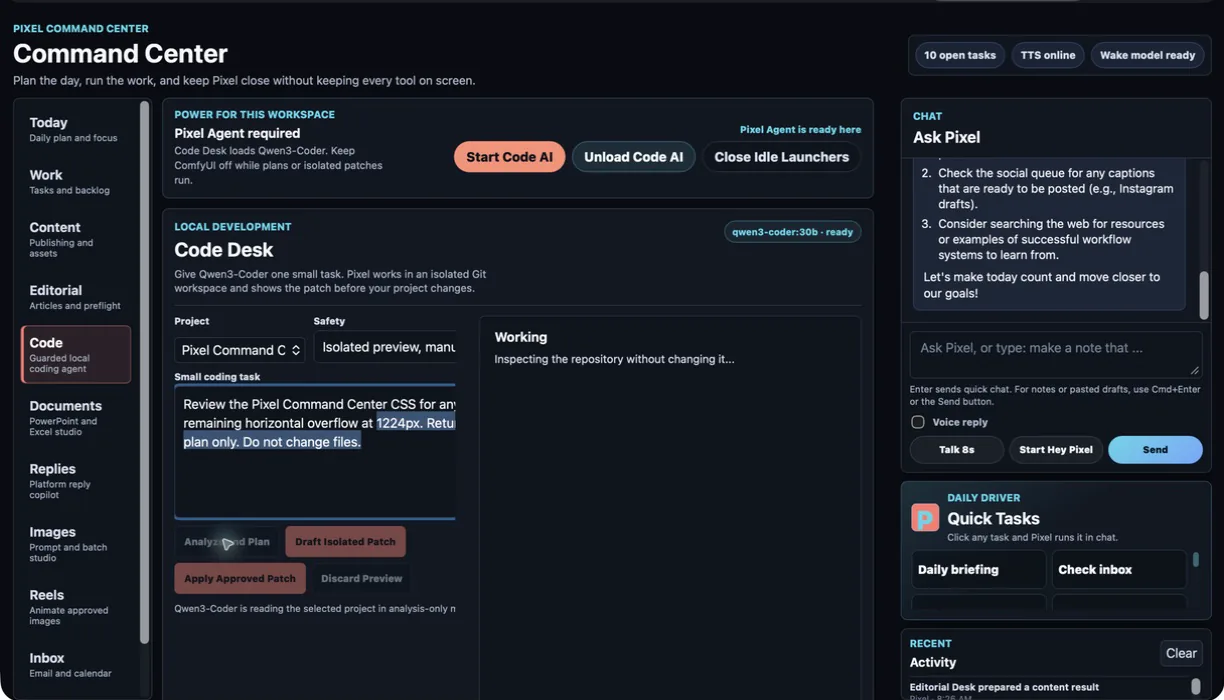
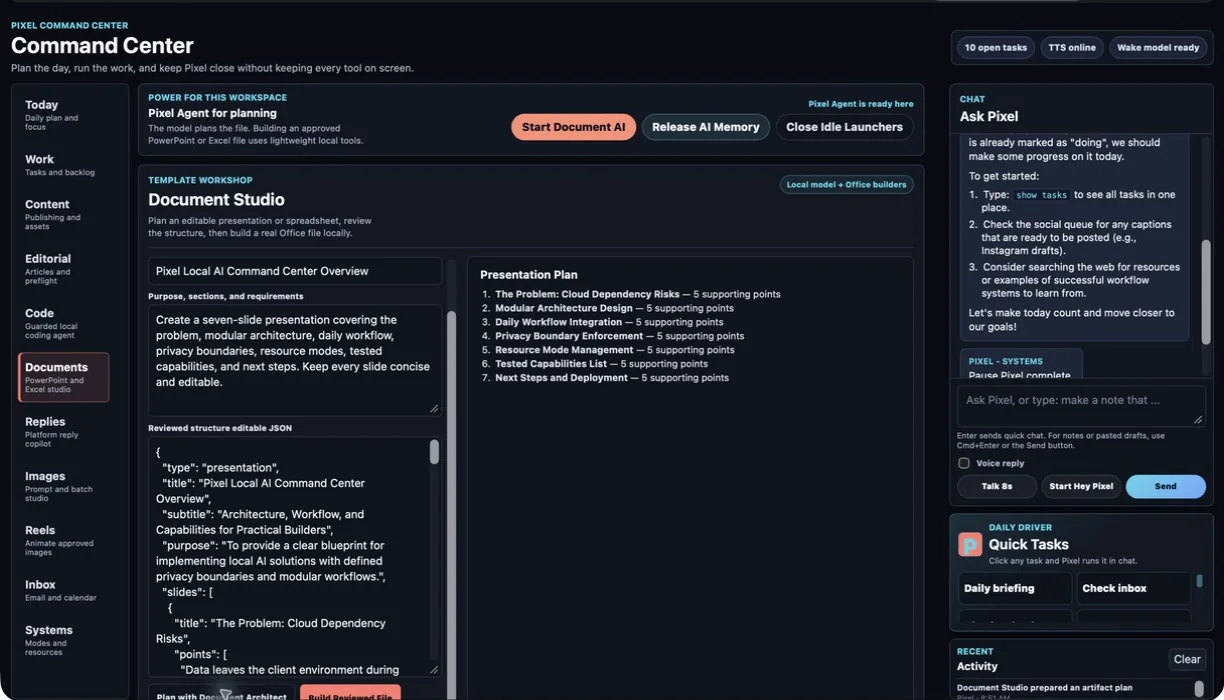
Code Desk loads a coding model inside an isolated Git snapshot, shows the plan or patch, and waits for explicit approval before changing the working copy. Document Studio separates model planning from deterministic file creation so PowerPoint and Excel outputs remain editable.
Prepare and Review
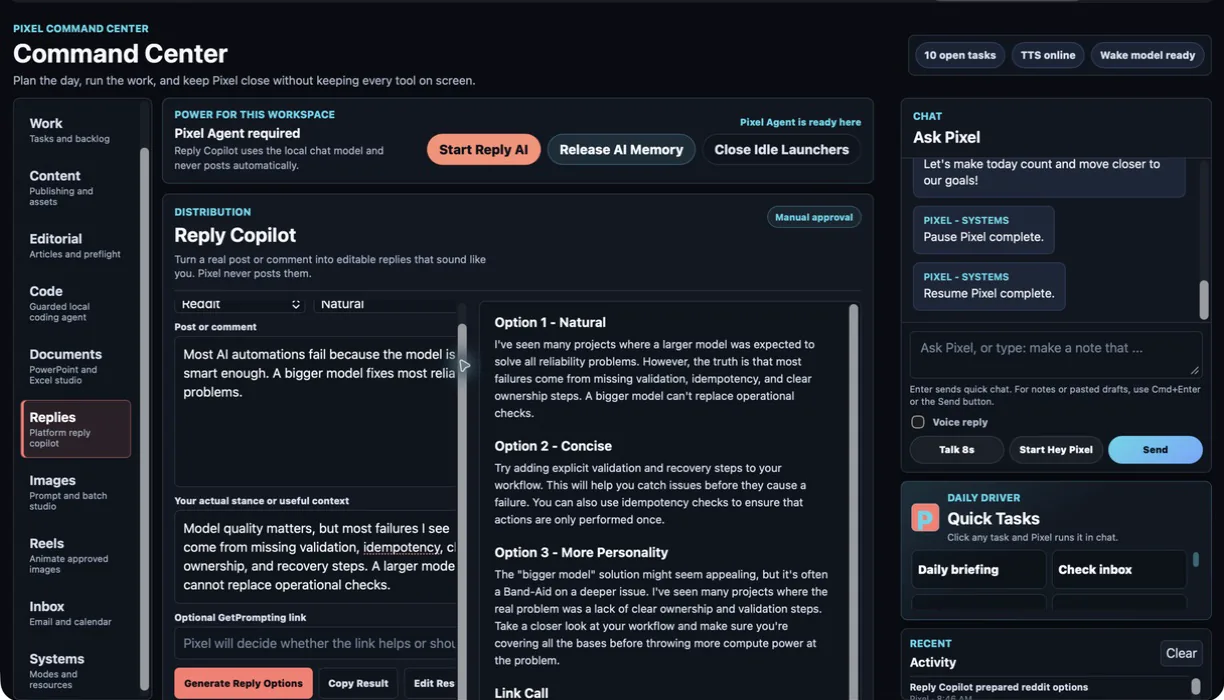
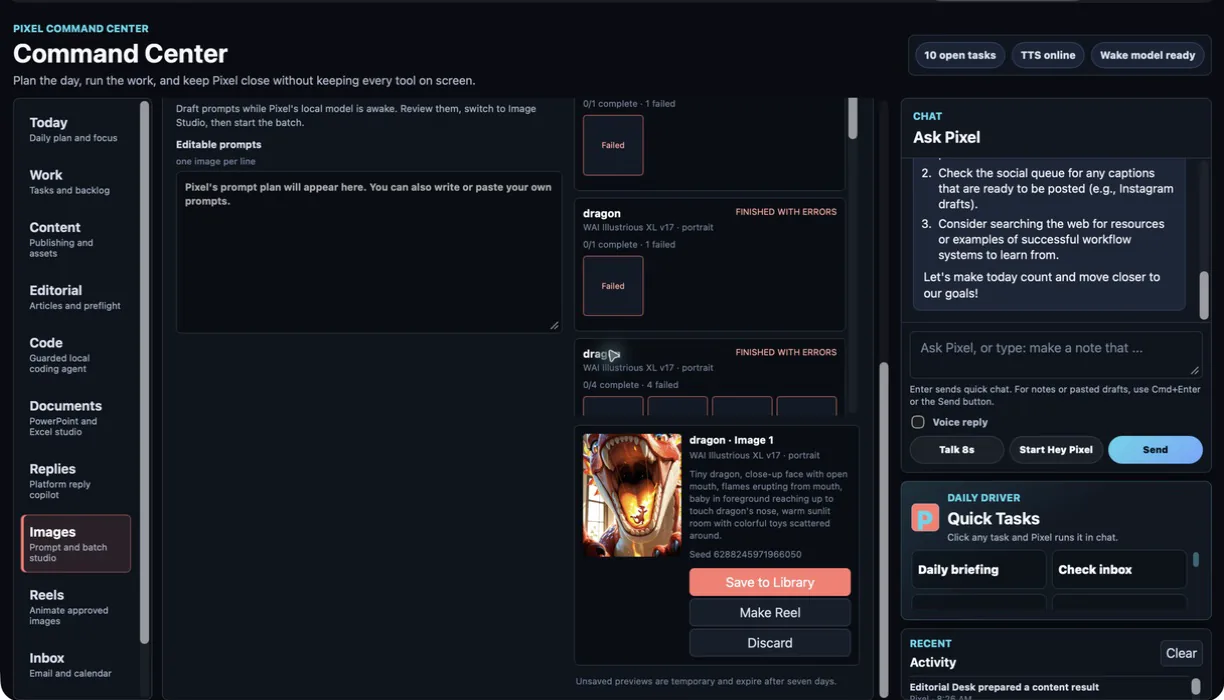
Reply Copilot produces several context-aware options and tells the user when a link should be skipped. Image Studio drafts model-specific prompts, runs approved batches, and keeps previews temporary until a human chooses to save, discard, or continue into a Reel.
Create Short-Form Media
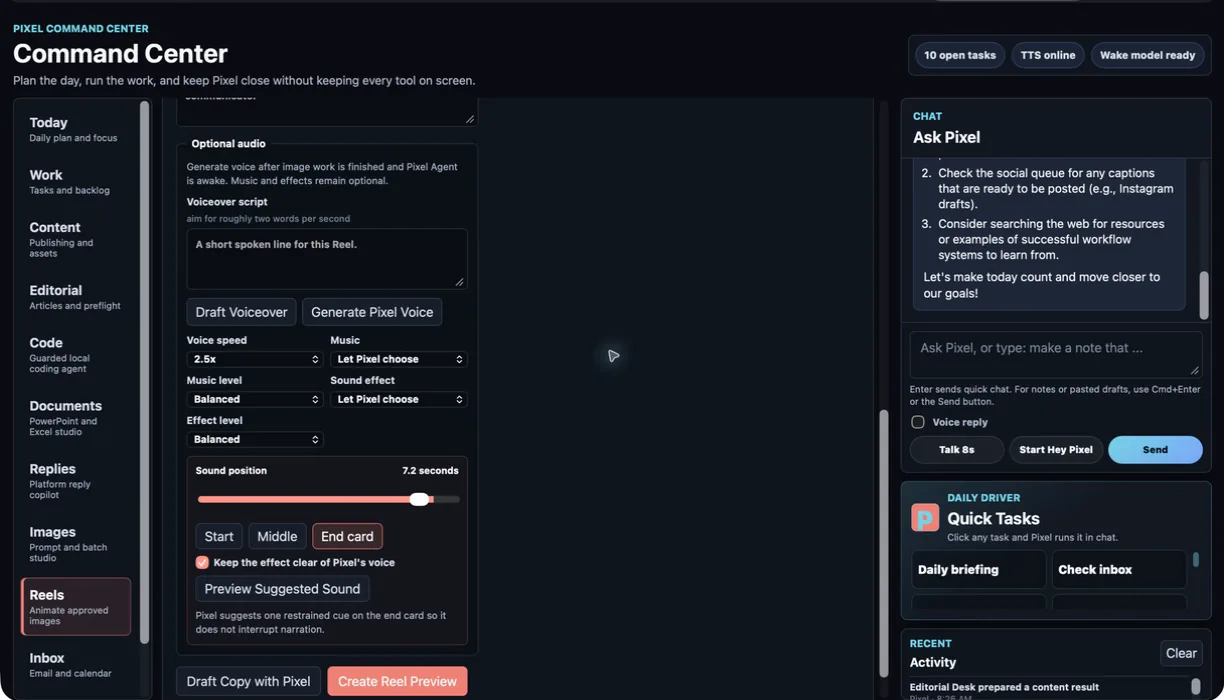
Reel Maker combines deterministic motion, on-screen copy, optional Pixel voice, licensed local music, and carefully positioned sound effects. The user can preview the result, adjust timing and balance, and save only the finished version.
Protect Context and Resources
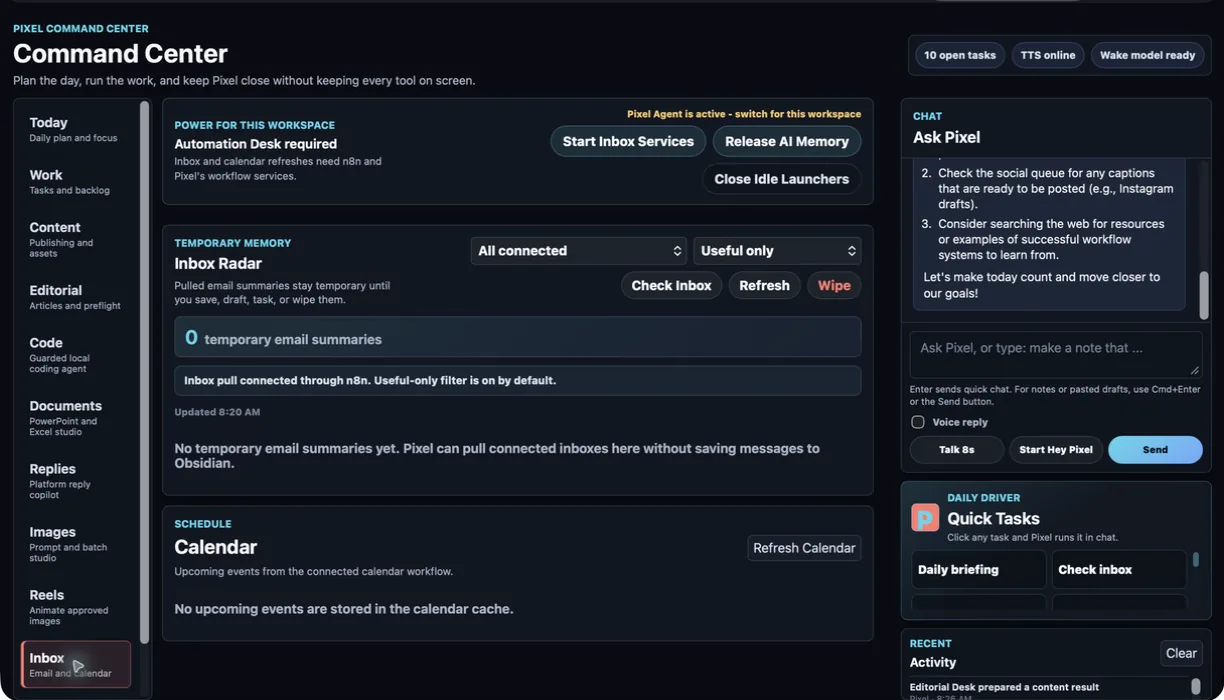
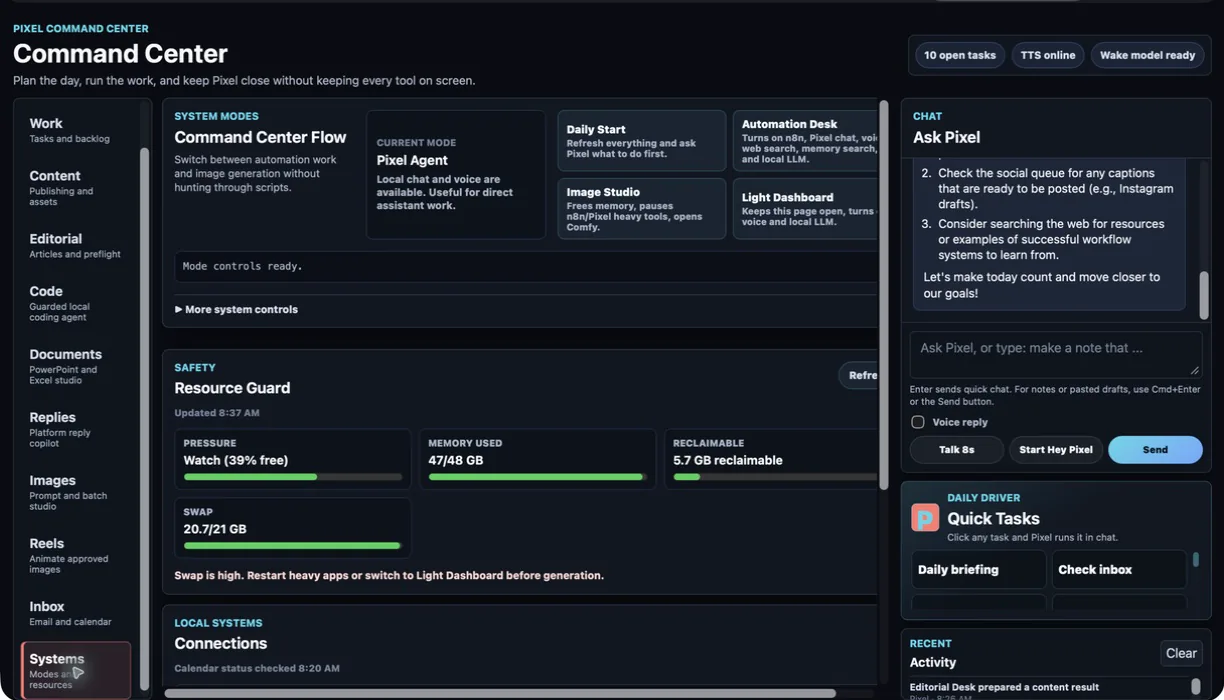
Inbox Radar stages useful email summaries in temporary memory, filters obvious noise, and lets selected items become tasks or notes. Systems shows what is actually online, distinguishes allocated memory from active pressure, and provides deliberate modes for daily automation, local AI, image generation, and emergency shutdown.
Architecture
The dashboard coordinates the experience. Focused services keep ownership clear and make failures easier to diagnose.
Workspaces, chat, task state, approvals, previews, and mode controls.
General tool reasoning, coding, document planning, and embeddings.
Readable source-of-truth notes with a local retrieval index.
External workflow integrations and local metasearch.
Images, Pixel voice, deterministic Reel assembly, and local previews.
Automation Desk supports normal daily work. Image Studio releases those services and gives ComfyUI priority. Light mode keeps the board available without loading a model.
Goals, decisions, and SOPs can become durable knowledge. Email summaries, generated previews, and troubleshooting context expire unless approved.
Pixel does not publish, send email, edit the calendar, deploy code, or make generated files permanent without a deliberate human action.
Validated Outcome
A live end-to-end tour validated the core workspaces against actual GetPrompting operations. Pixel produced a grounded daily briefing, prepared an article packet, analyzed a local codebase without changing it, planned an editable presentation, drafted three reply options, reviewed image outputs, assembled Reel controls, staged temporary email context, and reported system resource state.
Persistent goals, tasks, and Forge retrieval give each session a practical starting point.
Planning, content, specialist tools, media, inbox, and system controls live in one consistent interface.
Markdown notes, JSON plans, isolated patches, local files, and previews remain available for human review.
The models, services, ports, storage rules, launch order, and recovery steps are documented outside the application.
What This Demonstrates
Pixel demonstrates product discovery, interface design, local AI orchestration, workflow automation, retrieval architecture, deterministic file generation, privacy boundaries, resource management, and the patience to keep simplifying a system after the interesting demo already works.
The strongest lesson was simple: capability attracts attention, but trust comes from clear ownership. Every tool needs to know what it may read, what it may change, what should expire, and when a person must take over.
Evidence boundary: the walkthrough demonstrates working local capabilities. The 3–6 hour weekly figure is an estimate based on active work cycles, not independently measured financial ROI or a claim that the system runs without review.